

Haven't you ever met with http:// or ftp:// links with unknown file size. Sometimes, file size is determined incorrectly. But now it is a not problem with InternetFileSize. Now you can easily determine file size, type and modification date in the internet. Moreover, if your base http or ftp link is "encoded" (such as http://www.server.com/downloadfile?id=34532), Internet File Size shows real file http or ftp path.
MAIN FEATURES:
* Convenient program interface and Internet Explorer integration:
Internet File Size usage is very convenient. You can point http or ftp links by the following:
- use Internet Explorer context menu (use right click on http or ftp link).
- drag and drop http or ftp link from the browser to InternetFileSize window.
- drag and drop selected text to InternetFileSize window (for example, when your http or ftp link inside the text document or http or ftp link is not validated).
Moreover, InternetFileSize can work in tooltip mode. In this mode it works similar to simple Windows hints (window closes automatically after you switch to another application).
* Redirected links support:
If http or ftp link was pointed with redirection (for example in such a way http://www.server.com/downloadfile?id=34532 ), InternetFileSize shows not only file size and type but real http or ftp link path.
* Proxy server with authorization support:
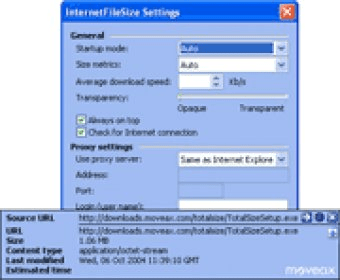
If your PC is located on the proxy server or your file is located on authorization required server, it will not prevent you define file size. InternetFileSize inform you about authorization you need. Proxy server settings can be taken from the Internet Explorer.
* File size representation in any units:
You can get information about file size in any units. You can also use "Auto" mode to select units optimally.
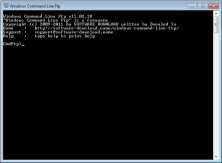


It can upload or download files, create and delete directories and rename files.









Comments